Gemini Enterprise deployment
Put AI agents to work on your company's knowledge.
One place where your team can ask a question and get the answer from everything the business knows, in email, files, your CRM and your ticketing system, and hand the repetitive work to AI agents. Your data stays yours. cozan holds Google Cloud's Certified Partner Specialist credential for Gemini Enterprise Deployment, and our own team does the deployment from start to finish.


Business edition from
excl. VAT
On an annual plan, paid monthly. Flexible monthly from R415.
- Deployed in-house by certified staff
- Nobody sees answers from files they can't open
- Licences and support on one cozan invoice
Two different products
Google Workspace with Gemini, or Gemini Enterprise?
You might already have Gemini: it's included in every Google Workspace plan. Gemini Enterprise is a separate product, on the same models, for when AI needs to reach beyond Workspace.
Google Workspace with Gemini
- What it is
- An everyday AI assistant in Gmail, Docs, Sheets, Meet and the Gemini app
- Your data
- Your Workspace: Gmail, Drive, Calendar and Chat
- Automation
- Workspace Studio: simple automations between your Google apps
- Usage limits
- Daily caps on the advanced models
- Cost
- Included in your Workspace plan
- Needs Workspace?
- Yes
Gemini Enterprise
- What it is
- An agent platform and company-wide AI search, using the same Gemini models
- Your data
- Workspace plus Microsoft 365, CRM, ticketing, wikis and databases
- Automation
- Agents that work through a whole task across your systems
- Usage limits
- Much higher limits, for teams that use Deep Research or image generation all day
- Cost
- A separate per-user subscription, from R355 per user per month. Both can run side by side
- Needs Workspace?
- No. It works for Microsoft 365 companies too
| Question | Google Workspace with Gemini | Gemini Enterprise |
|---|---|---|
| What it is | An everyday AI assistant in Gmail, Docs, Sheets, Meet and the Gemini app | An agent platform and company-wide AI search, using the same Gemini models |
| Your data | Your Workspace: Gmail, Drive, Calendar and Chat | Workspace plus Microsoft 365, CRM, ticketing, wikis and databases |
| Automation | Workspace Studio: simple automations between your Google apps | Agents that work through a whole task across your systems |
| Usage limits | Daily caps on the advanced models | Much higher limits, for teams that use Deep Research or image generation all day |
| Cost | Included in your Workspace plan | A separate per-user subscription, from R355 per user per month. Both can run side by side |
| Needs Workspace? | Yes | No. It works for Microsoft 365 companies too |
What your team gets
One place for AI at work.
More than a chatbot: one secure place where your people find answers, and build, share and run AI agents.
It knows your business
Ask one question and get answers from Drive, SharePoint, email, tickets and wikis. Every answer respects who may see what.
Google's best models, in one chat
The same Gemini models as Workspace, with much higher limits. Analyse a 1 500-page report or draft a video ad in the same window.
Give every team an AI specialist
Any user, from sales to finance, can build an agent without code. Publish it once and the whole company can use it.
Value from day one
Ready-made agents from Google for research and note-taking, plus vetted agents from vendors like Atlassian, Salesforce and ServiceNow. Useful before you build anything.
Whole workflows, not single tasks
Agents work across your systems: pull the Salesforce numbers, check the Jira backlog, write the report, post it to Chat.
Built for trust and control
One console to see, control and audit every agent, with Google's guardrails screening what goes in and out for leaks and manipulation.
In under a minute
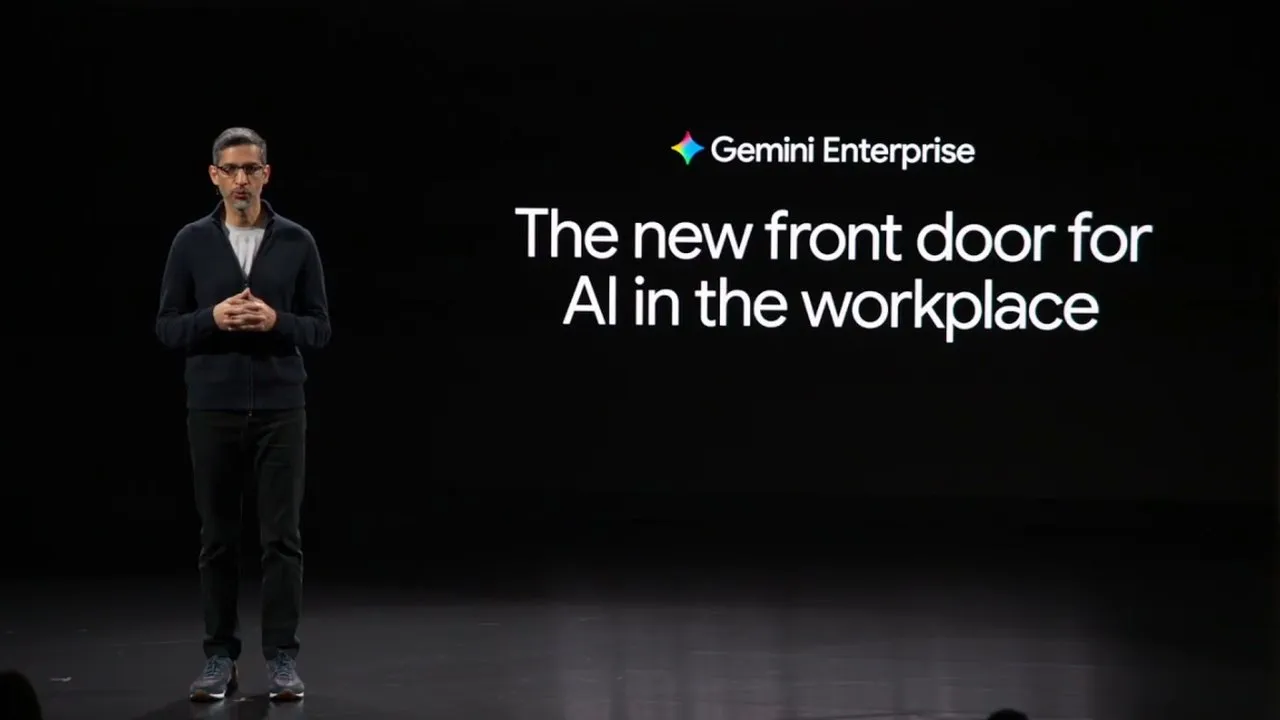
Google's own introduction.
Sundar Pichai opened the Gemini Enterprise launch in October 2025 with this 38-second clip. Watch it for what the product is. For what it would do with your data, book a readiness call.
 0:38
0:38How we deploy
From first call to agents in daily use.
Our steps follow Google's own admin setup, with the use-case, agent and training work that makes it stick.
- STEP 1
Readiness and use cases
We find where your people lose time and pick two or three use cases worth proving first.
- STEP 2
Licences and billing
We pick the edition that fits, set it up on Google Cloud and put it on your cozan invoice.
- STEP 3
Sign-in
Your people use the login they already have: Google, Microsoft or your existing single sign-on. Who may see what follows the rules you already set.
- STEP 4
Connect your data
We connect Workspace, Microsoft 365 and your business apps. Nothing is connected without the owner of that system saying yes.
- STEP 5
Guardrails
What the AI may see, what it may say and who may change that, decided and set before anyone logs in.
- STEP 6
First agents
We build and test agents for your chosen use cases, so the team has something useful on day one.
- STEP 7
Rollout and training
A pilot group first, then the rest of the business, with training by role.
- STEP 8
Ongoing care
Licence changes, new connectors and new agents as you grow, on your monthly cozan invoice.
Editions
Pick the edition that fits.
We're a Google Workspace and Google Cloud reseller, so we sell the Business, Standard and Plus editions. You pay in rands, per user per month, on the same invoice as your other cozan services.
Business edition
For small businesses and single departments. Anyone with an email address can start, with no IT setup needed. Prebuilt agents, connectors and no-code agents.
excl. VAT
12-month commitment, paid monthly. Flexible monthly: R415.
Sold with your Google Workspace licences
Standard and Plus editions
For businesses with regulators, auditors or big clients to satisfy. No limit on users. Your data stays in a region you choose, fenced off from the rest of Google Cloud, with encryption keys you hold.
Quoted in rands, per user per month, after a readiness call.
We set up a new Google Cloud project for you and create the licences in it
Deployed by the team that runs your Workspace.
cozan holds Google Cloud's Certified Partner Specialist credential for Gemini Enterprise Deployment. We don't subcontract deployments: the same people who look after your Google Workspace, security and domain set up your agents.
Gemini Enterprise questions
Something else on your mind? Ask us, in English or Afrikaans.
Do we need Google Workspace?
No. Gemini Enterprise is a standalone subscription. It works with Microsoft 365 too: your people sign in with their Microsoft login and it reads SharePoint, OneDrive and Outlook.
We already have Gemini in Google Workspace. Does this replace it?
No. The Gemini app and Gemini Notebook that come with your Workspace plan carry on as they are. Gemini Enterprise runs alongside them, for the work that needs your other systems, custom agents or much higher usage limits.
Is our data used to train Google's models?
No. On the Business, Standard and Plus editions you own your data, and your prompts and outputs aren't used to train Google's models or anyone else's. Answers only draw on content each user already has access to. The one exception is Google's free Starter edition, which uses data for product improvement unless you opt out.
Can we start small?
Yes. Start with a pilot group and prove one use case before you roll out.
What does it cost?
Business edition licences are R355 per user per month on an annual plan, paid monthly, or R415 on flexible monthly, excl. VAT. Standard and Plus are quoted. Deployment depends on how many systems you connect and how many agents you need: after a readiness call we quote a fixed-scope pilot, in rands.
How is this different from Gemini in Gmail?
Google Workspace with Gemini helps one person with their own work, and it's included in every Workspace plan. Gemini Enterprise connects the whole company's systems and runs agents across them.
See what Gemini Enterprise can do with your data.
A 30-minute readiness call, no obligation.