Secure your account with 2-step verification
Two-step sign-in stops someone with a stolen password getting into your account. Here's how your team and your administrator turn it on in Google Workspace.
· Updated · 1 min read
Anyone who gets into one of your team’s accounts can read the email, documents, spreadsheets and financial records in it. Passwords get stolen and guessed every day, so a password alone isn’t enough.
Two-step sign-in, which Google calls 2-Step Verification, is the most important thing you can turn on to protect your business.
What is two-step sign-in?
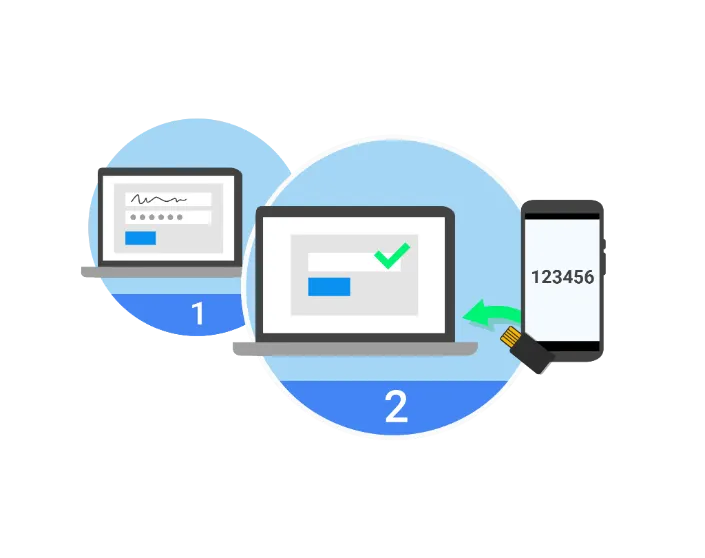
You sign in with two things:
- Something you know: your password.
- Something you have: your phone or a security key.
Someone might steal or guess your password, but they don’t have your phone. It works like the one-time PIN from your bank. If you use the Google Authenticator app instead of SMS codes, even a cloned SIM card won’t get an attacker in.
For users: turn on two-step sign-in
- Open your Google Account.
- In the navigation panel, select Security.
- Under “Signing in to Google”, select 2-Step Verification and then Get started.
- Follow the on-screen steps.
Detailed instructions: Protect your account with 2-step verification.
For admins: turn it on for your whole business
Your Workspace administrator can make two-step sign-in compulsory for everyone, so nobody is left with only a password. Google explains how in Deploy 2-step verification.
If you’d like us to roll it out for your team, send us a message and tell us how many people you have.
Helpful resources
- Have I Been Pwned?: check whether your email address has turned up in a data leak.
- Protect your account with 2-step verification
- Deploy 2-step verification