Gemini in Google Workspace: what it does for every role in your business
Gemini is built into the Gmail, Docs, Sheets and Meet your team already uses. How each team uses it, and why it costs less than a separate AI tool.
· 6 min read

Every business is under pressure to “do something with AI”. The hard part isn’t finding a tool. It’s finding one your people will actually use, that doesn’t need an integration project, and that doesn’t put company data somewhere it shouldn’t be.
If your business runs on Google Workspace, you already have it. Gemini sits inside Gmail, Docs, Sheets, Slides and Meet, works with the files and permissions you already have, and comes included in your licence. Here’s what that looks like for the people in your business, from the front office to the boardroom.
Why built in beats bolted on
Most AI tools live in a separate tab. Someone copies an email thread out of their inbox, pastes it into a chatbot, copies the answer back, and repeats. That’s slow, and every paste is company data leaving your systems.
Gemini works where the work already happens:
- No new app to roll out. It’s a side panel and a few buttons in tools your team opens every day, so adoption takes days, not months.
- It already knows your context. Ask about a client and Gemini can draw on the relevant emails and Drive files, without anyone uploading them.
- It respects your permissions. Gemini only sees what the person asking can already open. Nobody gets access to a file through AI that they couldn’t open themselves.
- Your data stays yours. Google doesn’t use your Workspace data to train its models, and your admin controls who gets which Gemini features.
Admin and operations
Office managers, PAs, finance and HR teams spend much of the day in their inbox. This is where Gemini pays for itself fastest.
- Clear the inbox faster. Summarise a 40-message thread in seconds, then draft a reply with Help me write and adjust the tone before sending.
- Find things without digging. Ask Gemini in Gmail “what did the landlord say about the lease renewal?” instead of searching folders.
- Never take minutes again. Take notes for me in Meet writes up the discussion, decisions and action items, and drops them in Drive.
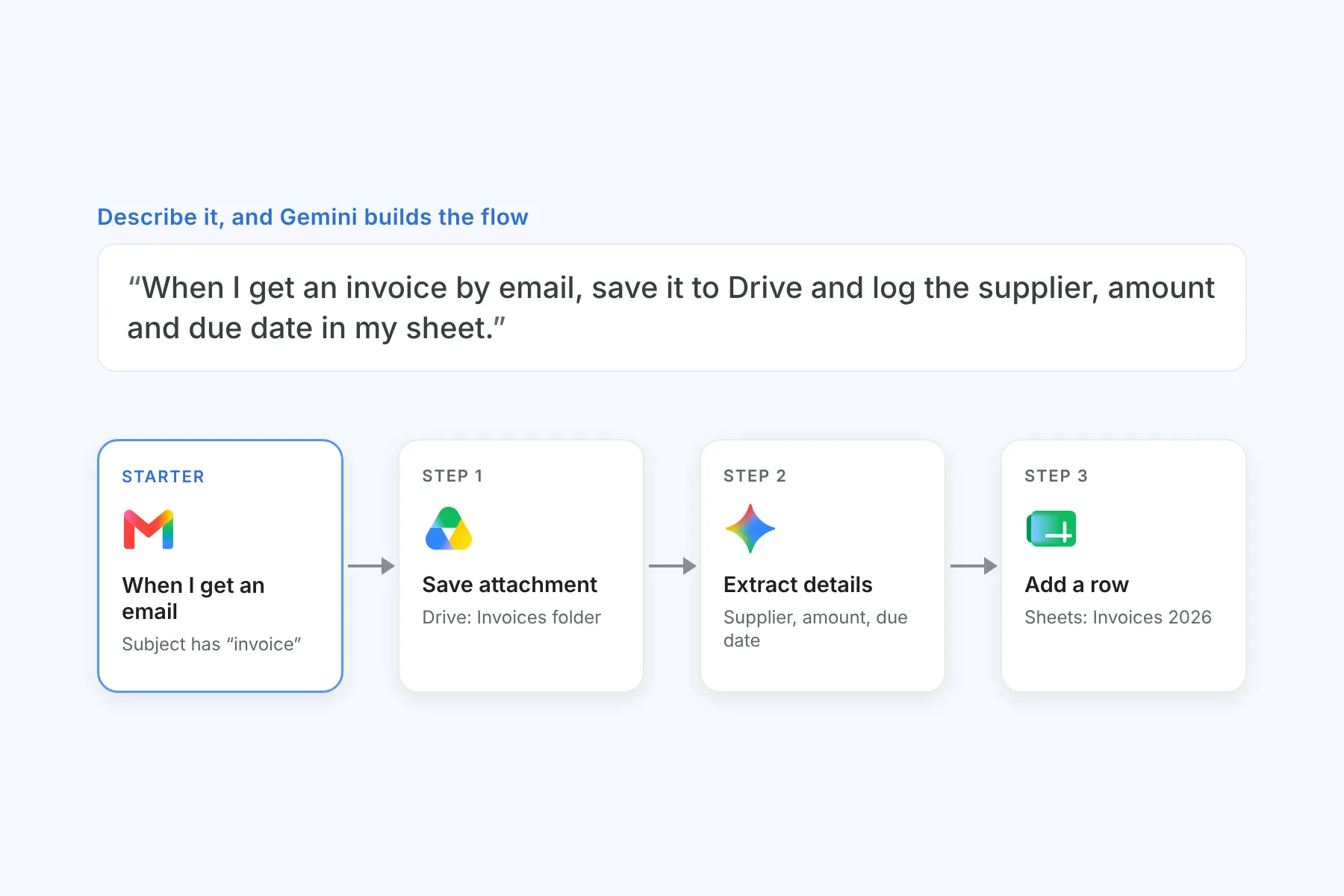
- Automate the routine. Workspace Studio lets non-technical staff set up simple AI automations, like labelling supplier invoices and logging them to a Sheet.
- Write policies and procedures. Turn rough notes into a first draft of an SOP or staff letter in Docs.
Sales and client service
Sales people should be selling, not formatting proposals.
- Personal follow-ups at speed. Draft a follow-up that picks up where the last conversation left off, in your own voice.
- Proposals from what you already have. Ask Gemini to build a first draft from your previous proposals and pricing docs in Drive.
- Decks without the late nights. Generate slides and custom images in Slides, then polish rather than start from blank.
- Walk into every meeting prepared. Ask Gemini in Meet for a quick brief on the meeting’s goals, and get key takeaways and action items afterwards.
- Sell across languages. Speech translation in Meet translates spoken conversation in near real time, so language is less of a barrier with clients in other markets.
Technical teams
Developers, engineers and IT staff deal with dense documentation and repetitive analysis.
- Make sense of documentation. Load manuals, specs and runbooks into Gemini Notebook and ask questions across all of them, with answers that cite the source.
- Specs from rough notes. Turn whiteboard photos and meeting notes into a structured technical spec in Docs.
- Formulas and analysis in Sheets. Describe what you need in plain language and let Gemini write the formula, build the table or spot the trend.
- A second pair of eyes. The Gemini app explains unfamiliar code, drafts scripts and works through problems step by step.
- Control for IT. Admins switch Gemini features on or off per department in the Admin console, so you roll out at the pace that suits you.
Leadership
Directors and executives need the short version, fast, and confidence that the numbers are right.
- Catch up without the reading. Get the gist of long email threads and documents before you reply or sign.
- Joined late? Ask. Ask Gemini in Meet what you missed, and get the decisions so far.
- Interrogate the board pack. Load financials, reports and minutes into Gemini Notebook and ask direct questions across all of them.
- Research in minutes. Deep Research in the Gemini app pulls together a sourced report on a market, competitor or regulation.
- Govern with confidence. AI that runs inside your existing security, permissions and admin controls is far easier to sign off than a dozen tools staff signed up to on their own.
The economics
Gemini isn’t an add-on. Google folded it into every Business plan in January 2025, so if you pay for Google Workspace, you’re already paying for Gemini.
| What’s included | |
|---|---|
| Business Starter | Gemini in Gmail, the Gemini app and simple AI automations (Workspace Studio) |
| Business Standard and Plus | Everything in Starter, plus Gemini in Docs, Sheets, Slides and Meet, Gemini Notebook with higher limits, and speech translation in Meet |
That changes the maths. A standalone AI tool charges its own per-user fee on top of the email and office suite you already pay for, and still sits outside your data. With Workspace there’s no second subscription, no integration project and no separate vendor to manage.
What the research says
Google commissioned Forrester to measure what Workspace with Gemini is worth in practice. Forrester interviewed organisations already using it and modelled the results over three years:
- 416% return on investment, with the cost paid back in under six months.
- 3 hours saved per Gemini user, every week.
- Up to 10 hours a week for people who use Gemini Notebook (then called NotebookLM) to research and work across documents.
- 30% less time spent on collaborative work.
The model is based on a large organisation, so your rand figures will differ. The per-person time saving is what matters: three hours a week is close to ten working days a year, for every person using it. As one senior manager in the study put it, “Even people using it at the lowest levels are getting value.” Read the full Forrester study.
Mix plans to match the work
You also don’t need everyone on the same plan. Put the people who live in Docs, Sheets and meetings on Business Standard and everyone else on Starter, on the same domain. See how mixing plans cuts licence costs and current pricing in rands.
AI drafts, people decide
Gemini is very good at first drafts, summaries and finding things. It doesn’t replace judgement. We work AI first, with a person in the loop, always: let Gemini do the groundwork, and let your people check, decide and sign their names to the result. The businesses getting the most from it are the ones that know which work to hand over and which work stays human.
How cozan helps
Gemini is included, but getting value from it takes a little setup:
- Switch it on properly. We configure Gemini settings per department so the right people get the right features.
- Tidy sharing first. Because Gemini can find anything a user can open, we review over-shared files and drives before rollout.
- Get people using it. Short, practical training for your teams, built around their real work.
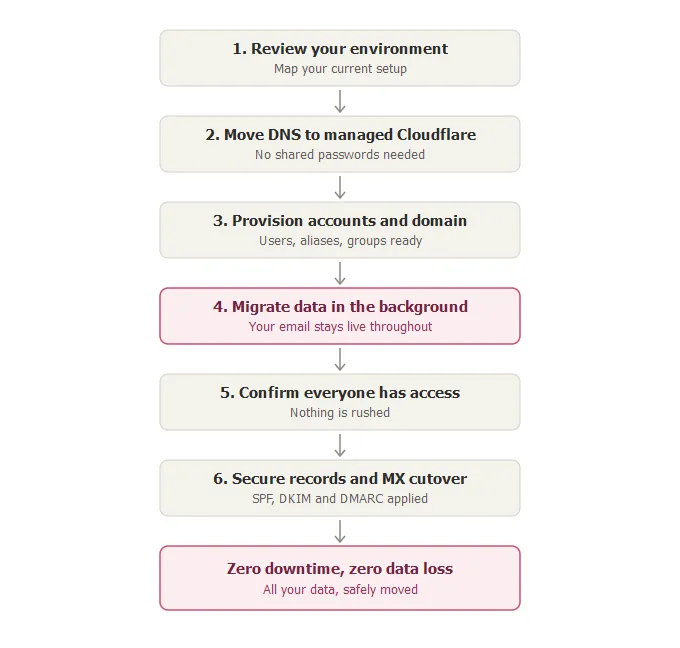
- Move from Microsoft 365. Not on Workspace yet? We migrate you without downtime.
Need AI across more than Workspace, including Microsoft 365 and your business apps? That’s Gemini Enterprise.
Talk to us about getting Gemini working for your team.